
Last updated: May 8, 2026 | Reading time: 13 minutes
Introduction – The Shift from Chatbots to Agents
For years, “AI assistants” have lived inside a browser tab. You ask a question; they answer. You type a prompt; they generate text. But they never act on your behalf – not really.
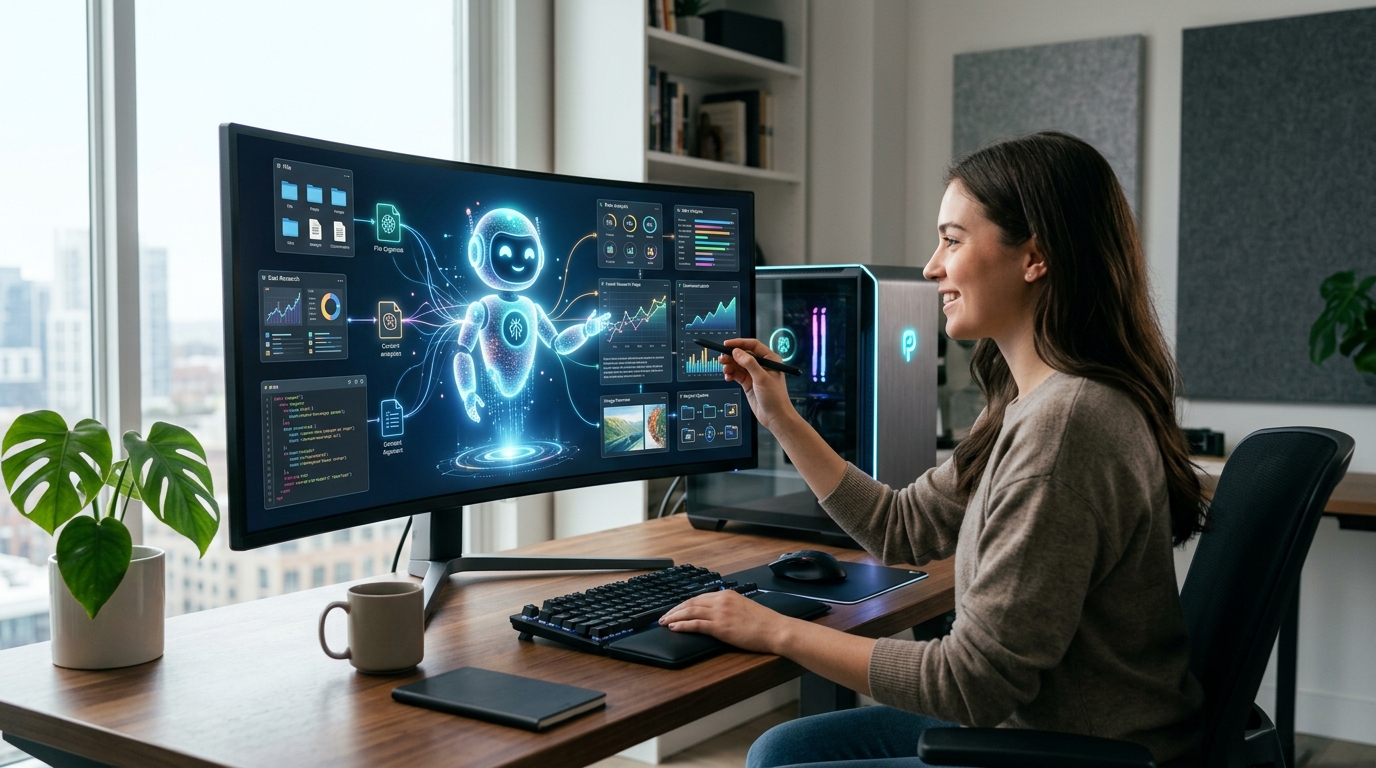
On May 7, 2026, Perplexity changed that. The company made its Personal Computer AI agent available to all Mac users, not as a beta or a demo, but as a native, persistent, 7×24 desktop agent.
Personal Computer is a fundamental leap. It runs directly on your macOS device, can access your local files, operate native apps, control your browser, and orchestrate over 400+ external connectors (email, cloud storage, calendars) – all autonomously.
This article is the complete technical explainer. You will learn:
- How Personal Computer works under the hood (local vs. cloud orchestration)
- What “computer use agent” means and why it matters
- The security model: sandbox, audit trails, kill switch, and why the app isn’t on the Mac App Store
- What you can actually do with it – and what you cannot (yet)
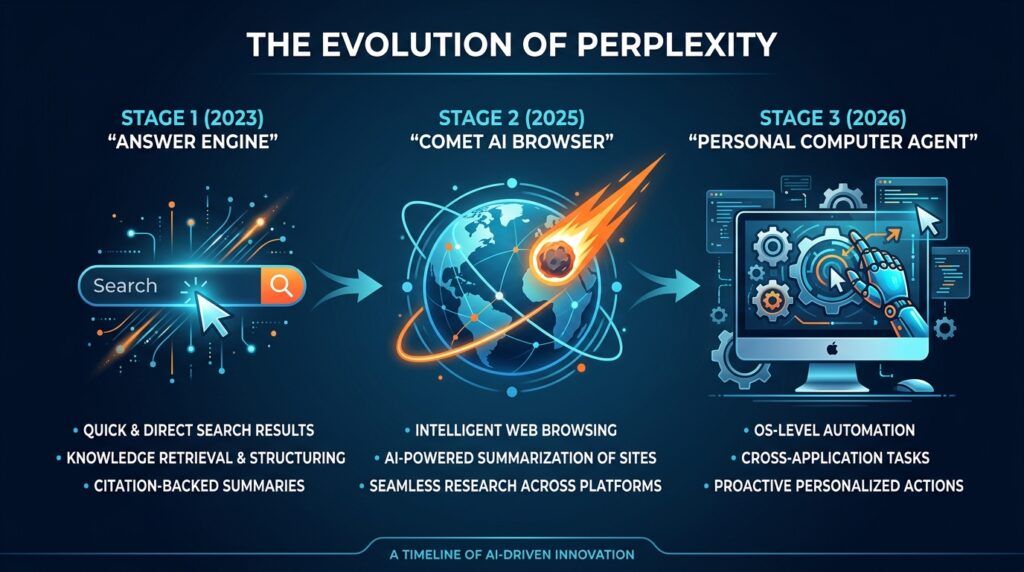
- How it fits into Perplexity’s three‑year evolution from search engine to agent platform
By the end, you will understand why many technologists call this the “new CPU” of desktop computing – and whether it’s ready for your daily workflow.
1. What Is “Personal Computer”? A New Category of AI
Perplexity didn’t just add a feature; it launched a new product category that it calls “Personal Computer”. The name is deliberately provocative.
Traditional chatbots (ChatGPT, Claude, Gemini) are question‑answer engines. Perplexity’s own search product was an “answer engine”. Then came the Comet AI browser (2025), which could browse and summarize.
Personal Computer is the third and most ambitious step: a computer‑use agent that can perform multi‑step tasks across applications and services without constant human supervision.
Key characteristics that define the category:
- Local persistence – The agent runs continuously on your Mac (or a dedicated Mac mini), awake even when you are not.
- Native app control – It can open, read from, and write to macOS apps (Mail, Calendar, Notes, Numbers, etc.).
- File system access – With permission, it can read local documents, spreadsheets, and PDFs.
- Orchestration of 400+ connectors – It can reach into Gmail, Slack, Google Drive, Salesforce, and many others.
- Remote access – You can start a task from your iPhone, have your Mac mini execute it, and review results later.
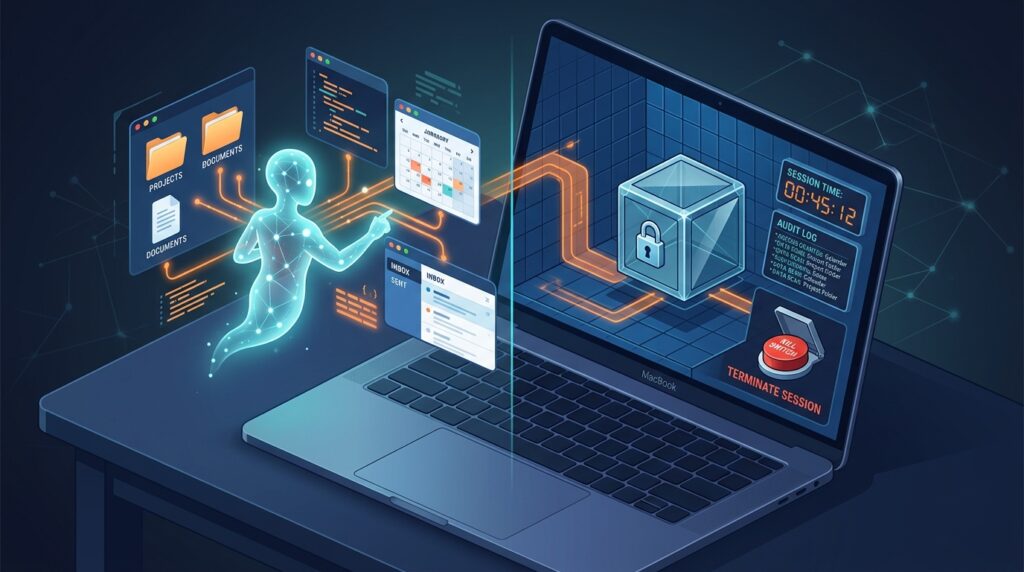
- Auditable and reversible – Every action is logged; you can undo steps or hit a kill switch.
This is not a chatbot. This is a digital worker that lives on your desktop.
2. How It Works – The Hybrid Architecture
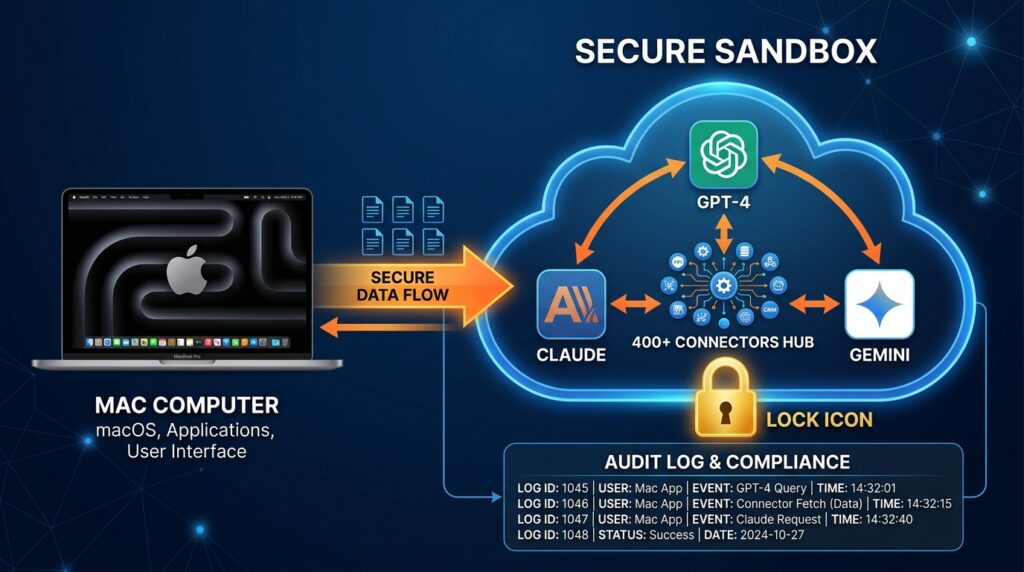
Personal Computer’s architecture is a hybrid of local execution and cloud orchestration. This design balances speed, privacy, and capability.
Local Components (Running on Your Mac)
- Wake word / hotkey detection – You invoke the agent by pressing both Command keys simultaneously (or by voice).
- Native macOS integration – The agent can read and write files, launch apps, and simulate user inputs (with explicit permissions).
- Local model for simple tasks – Very fast, low‑latency operations (e.g., “find the file named Q3_report.docx”) are handled by a small, on‑device model.
- Privacy buffer – Sensitive local data (e.g., personal documents) can be processed locally without leaving your machine.
Cloud Orchestration (Running on Perplexity’s Secure Servers)
- Multi‑agent system – For complex tasks, the local agent sends a request to Perplexity’s cloud, where a team of specialized agents (up to 20+ frontier models) orchestrates the work.
- Model selection – Perplexity can route subtasks to different models: GPT‑4 for reasoning, Claude for safety, Gemini for multimodal, etc.
- Connector hub – The cloud system handles the 400+ third‑party connectors (email, cloud storage, APIs). Your credentials are stored encrypted, and the agent only accesses them during the task.
- Sandbox environment – All cloud execution occurs in a secure, ephemeral sandbox. No persistent storage of your data.
Auditing and Kill Switch
- Every action taken by the agent (local or cloud) is logged in an audit trail that you can review.
- You can roll back individual actions or the entire task.
- A global kill switch instantly stops all agent activity – a critical safety feature.
This hybrid model is why Personal Computer can be both fast (local file searches) and immensely capable (orchestrating across dozens of services).
3. The Security Model – What Can the Agent Access?
This is the most common question – and rightfully so. Granting an AI agent access to your local files and apps is a major trust leap.
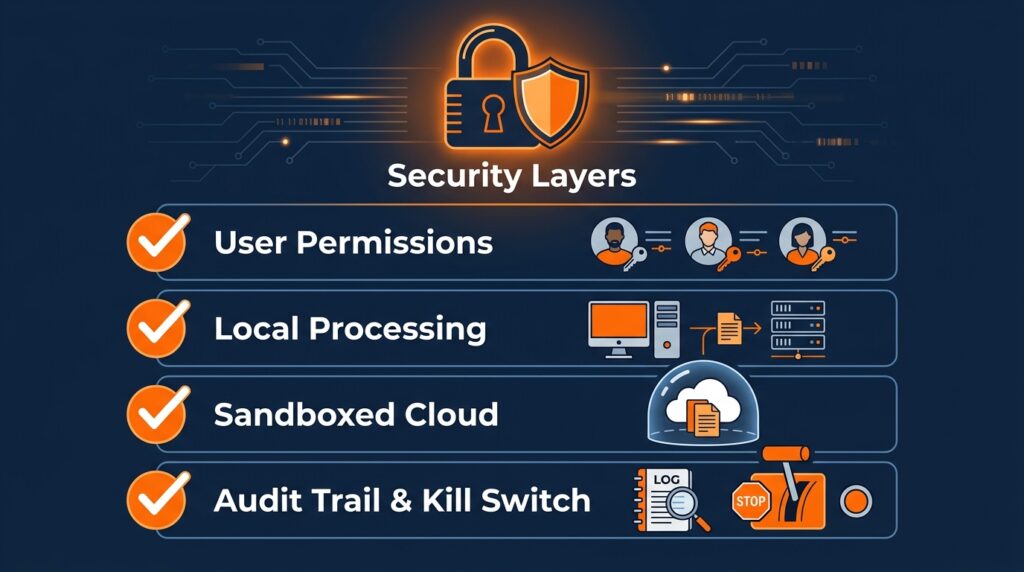
Perplexity has designed Personal Computer with multiple layers of security:
| Layer | Mechanism | Purpose |
|---|---|---|
| User permission | First launch: explicit request for file, app, and accessibility permissions | You must opt in to every category |
| Tip‑of‑the‑iceberg access | The agent sees only files/apps you explicitly allow | No silent background scanning |
| Local processing | Sensitive data (documents, personal emails) can stay on your Mac | Not uploaded to cloud unless required for complex orchestration |
| Sandboxed cloud | Any cloud execution runs in an ephemeral, isolated environment | Your data is not stored or mixed with others |
| Audit trail | Every action is timestamped and logged | You can review what the agent did |
| Kill switch | One‑click or voice command to stop all agent activity | Immediate emergency halt |
| No Mac App Store (yet) | App is distributed directly from Perplexity’s website | Allows faster updates and more flexible permission models (Apple’s App Store restrictions may limit local access) |
What the agent cannot do (as of May 2026):
- Access protected system areas without explicit user approval.
- Execute code outside the sandbox.
- Make irreversible changes without confirmation (deleting files, sending emails) – it will ask first.
Perplexity has also stated that it became “more gun‑shy” about certain actions after internal safety testing, meaning the agent deliberately refuses some potentially risky commands.
4. What You Can Actually Do with Personal Computer
The agent’s capabilities go far beyond asking for a recipe. Here are real‑world examples:
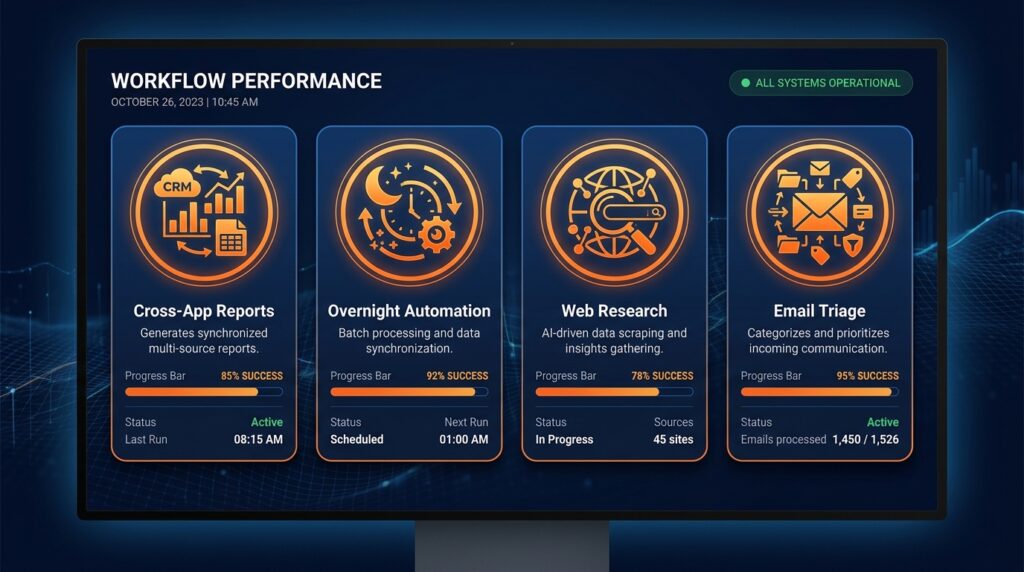
A) Cross‑App Research & Reporting
You ask: “Compare the Q1 sales data in the spreadsheet with the Q1 goals email from my boss, then draft a summary report in Notes.”
The agent:
- Opens Numbers/Excel, reads the spreadsheet.
- Opens Mail, finds the email from your boss, extracts goals.
- Compares the data.
- Opens Notes, creates a new note with the comparison.
B) Automated Overnight Workflows
Assign a task at night from your iPhone: “Every morning, check my Google Calendar for meetings, then prepare a briefing document from my email and Slack threads relevant to those meetings.”
A Mac mini sitting at home runs the agent at 7 AM, and you wake up to a ready‑made briefing.
C) Web Research + Document Creation
“Find the latest analyst reports on AI chip demand, extract the key charts and tables, and paste them into a new Google Doc.”
The agent browses, extracts, and compiles – without you touching a browser.
D) Email Triage and Response
“Sort my unread email by urgency, draft replies for the top five, and label the rest for later.”
The agent reads, categorizes, and drafts – with your final approval on sending.
E) Personal Assistant Tasks
“When the price of an RTX 5090 GPU drops below $1,500 on Amazon, send me a Slack message and also add a reminder to my calendar.”
The agent monitors the web and acts when the condition is met.
These are not hypotheticals. Early testers have reported saving 10+ hours per week by delegating routine, repetitive, or time‑sensitive tasks.
5. What It Can’t Do Yet – Honest Limitations
No technology is perfect, and Personal Computer is still early. Be aware of these constraints:
| Limitation | Explanation | Impact |
|---|---|---|
| Speed | Complex tasks can be “slow and at times clumsy”. Browsing the web feels like “1999 dial‑up” according to some testers. | Not suitable for real‑time, urgent tasks. |
| Hallucinations | Autonomy still suffers from hallucinations and reliability gaps. The agent may misinterpret instructions or confidently produce wrong results. | Requires human review of critical outputs. |
| macOS only | No Windows or Linux support at launch. | Excludes a large user base. |
| Requires macOS 14 Sonoma or later | Older Macs are not supported. | Many enterprise Macs are not updated. |
| Best on a dedicated Mac mini | For 24/7 persistent agents, you need an always‑on machine. | An extra hardware cost. |
| Not on Mac App Store | Download from Perplexity’s website, which may raise trust or update friction. | Some corporate IT policies block third‑party downloads. |
| Subscription cost | Advanced features require Pro ($20/mo) or Max ($200/mo) plans. | Not cheap for casual users. |
| Safety constraints | Perplexity deliberately limited what the agent can do, making it less powerful than some researchers hoped. | Some advanced automation may be blocked. |
Perplexity is actively iterating. Speed improvements and more connector support are expected in the coming months.

6. The “New CPU” Metaphor – Why This Is a Paradigm Shift
Perplexity CEO Aravind Srinivas has called the agent the “new CPU” – not as a marketing gimmick, but as a technical observation.
A central processing unit (CPU) is the chip that executes instructions for every program. It is a universal orchestrator.
In the same way, Personal Computer aims to be the orchestration layer for all your digital tasks. Instead of you manually switching between apps and copying data, the agent does the switching, copying, and executing.
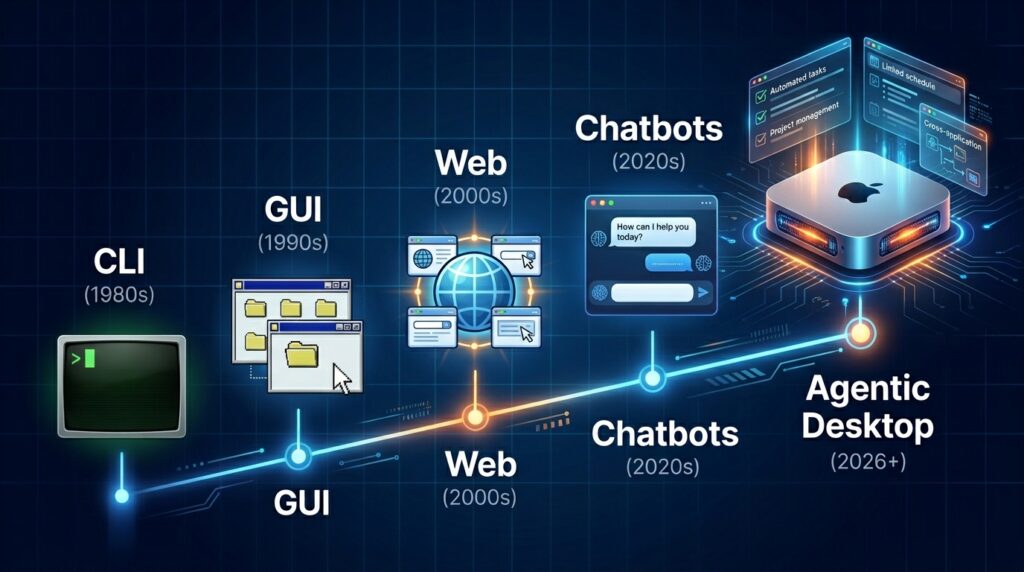
Historical analogy:
- 1980s: Command line (you type every command)
- 1990s: GUI (you point and click)
- 2000s: Web apps (you navigate browsers)
- 2020s: AI assistants (you ask and they answer)
- 2026+: Agentic desktop (you set goals, the agent executes)
This is why the Mac mini is so important. A $600 computer that sits on your desk, always on, running a 24/7 digital worker, can become a force multiplier for knowledge workers.
7. How to Get Started (And Which Plan You Need)
Personal Computer is available today through the native Perplexity macOS app. Here’s what you need:
| Requirement | Details |
|---|---|
| Hardware | Any Mac running macOS 14 Sonoma or later (Mac mini recommended for always‑on agents) |
| Software | Download the app from perplexity.ai/download – not the Mac App Store |
| Account | You need a Perplexity account (free, Pro, or Max) |
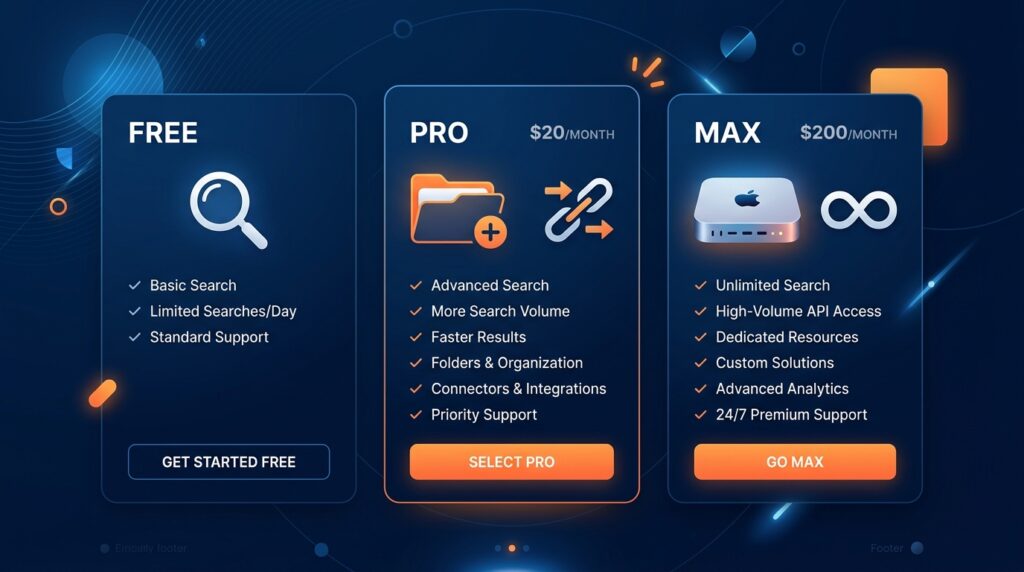
Tier breakdown for agent access:
| Plan | Monthly Price | Agent Capabilities |
|---|---|---|
| Free | $0 | Limited to basic search; very restricted agent features |
| Pro | $20 | Full Personal Computer access, including local files and 400+ connectors. Some compute limits. |
| Max | $200 | Unlimited compute, priority orchestration, advanced agent‑to‑agent collaboration, and remote Mac mini access. For power users and businesses. |
For most individuals, Pro is sufficient. The Max plan is aimed at enterprises running a dedicated Mac mini as a full‑time digital worker.
Frequently Asked Questions (FAQ)
Q1: Does Personal Computer work on Intel Macs, or only Apple Silicon?
A: It works on any Mac with macOS 14 Sonoma – both Intel and Apple Silicon. However, Apple Silicon models have better performance for local processing.
Q2: Can the agent access my iCloud Drive or other cloud storage?
A: Yes, if you grant permission and connect those services via the 400+ connectors hub. It operates through the same APIs as other cloud apps.
Q3: What happens to my data after a task is completed?
A: Local data stays on your Mac. Cloud‑orchestrated data is not stored; the sandbox is wiped after each task. Audit logs (metadata, not content) are retained for you to review.
Q4: Can I run multiple agents at once?
A: The Max plan supports multi‑agent collaboration (agent‑to‑agent). The Pro plan is limited to a single agent instance.
Q5: Is there a Windows version?
A: Not yet. Perplexity has stated that Windows support is a “top priority” after macOS, but no date has been announced.
Q6: How do I stop the agent if it goes rogue?
A: Use the global kill switch (accessible from the menu bar icon). You can also revoke permissions in macOS System Settings.
Q7: Why isn’t the app on the Mac App Store?
A: Perplexity wants to iterate faster and use permission models that Apple’s App Store restrictions might limit. They plan to submit once the feature set stabilizes.
Q8: Can the agent be used for malicious purposes (e.g., deleting files, sending spam)?
A: The agent is designed to refuse destructive actions. It will ask for confirmation before irreversible operations. Perplexity has also implemented safety constraints to prevent such misuse.
Conclusion – A Glimpse of the Agentic Future
Perplexity’s Personal Computer is not a polished, final product. It is still slow, occasionally clumsy, and confined to macOS. Yet it represents something genuinely new: an AI that acts, not just talks.
For knowledge workers, the implications are profound. Tasks that take hours of manual clicking, copying, and pasting can be delegated to a persistent digital worker. The Mac mini becomes a low‑cost employee that never sleeps.
But trust remains the biggest hurdle. Perplexity has built a thoughtful security model – sandboxes, audit trails, kill switches – but it will take time for users to feel comfortable granting an AI access to their files and apps.
If you are an early adopter, a Mac‑based professional, or simply curious about the future of desktop computing, Personal Computer is worth trying. The Pro plan is inexpensive enough to experiment with.
The era of agentic computing has begun. And Perplexity, not Apple or Google, has shipped the first major version.
References & Further Reading
- Perplexity official blog – “Introducing Personal Computer for Mac” (May 7, 2026)
- TechCrunch – “Perplexity launches AI agent that can control your Mac desktop” (May 2026)
- The Verge – “Perplexity Personal Computer hands‑on: The first true Mac agent” (May 2026)
- Perplexity Help Center – “Personal Computer security and privacy”
- Bloomberg – “Perplexity’s $200/mo agent plan bets on business demand” (May 2026)
If you found this explainer useful, check out our other deep dives:
👉 Why Google, Microsoft, and Amazon Are Building Their Own AI Chips (6 Reasons)
👉 Why Is Nvidia Still Dominating the AI Chip Market? (7 Moat Factors)
📬 Subscribe to ExplainThisTech for more “why” breakdowns of the technology shaping our world.

Leave a Reply