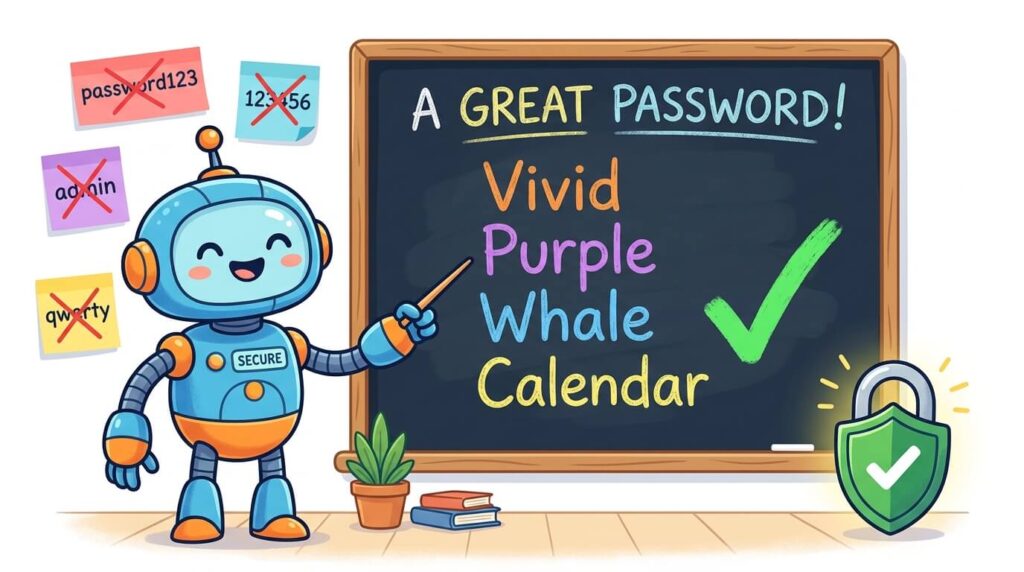
You know “password123” is a terrible choice. But is “P@$$w0rd!” really that much better? It’s hard to remember, a pain to type, and—as you’re about to learn—not nearly as secure as you might think. The good news? Modern password security has gotten much simpler. It’s no longer about memorizing impossible strings of random characters. It’s about adopting a smarter strategy. Here’s how to create passwords that are both incredibly strong and easy to handle—backed by the latest expert recommendations.
Why Your Current Password Strategy Is Failing You
Before we fix the problem, let’s understand why the old way doesn’t work anymore.
The 16 Billion Password Wake-Up Call
In June 2025, a single data leak exposed 16 billion stolen passwords and user credentials—the second largest breach ever recorded. To put that in perspective, that’s more than twice the number of people on Earth.
Here’s the scary part: 54% of leaked passwords in 2025 had already been part of prior data breaches. That means most people aren’t creating new passwords—they’re just recycling old ones that have already been compromised.
Your password is probably already out there. It’s not a matter of if—it’s a matter of when a hacker will try it.
The Reuse Problem
94% of people reuse passwords across two or more accounts. Think about that. Almost everyone uses the same password for email, banking, social media, and shopping sites.
Why is this so dangerous? Because attackers don’t just hack one account and stop. They use a technique called “credential stuffing”—taking stolen username/password combinations and trying them on bank accounts, email providers, and other high-value services.
One breached forum account can compromise your entire digital life. It’s like using one key for your house, your car, and your office—lose it once, and you lose everything.
The Complexity Myth
Here’s a myth that refuses to die: “A password with uppercase, lowercase, numbers, and symbols is automatically secure.”
It’s not. A classic example is P@$$w0rd!. It has uppercase, lowercase, numbers, and symbols. But a hacker’s computer can crack it in minutes. Why? Because it’s short (only 8 characters) and predictable—hackers have dictionaries of common substitutions.
Here’s the truth that changes everything:
- An 8-character password with special characters can be broken in less than an hour.
- A 12-character simple phrase—just lowercase letters, no symbols—can withstand the same attack for over 200 years.
- A 16-character phrase takes millions of years to crack, even with today’s fastest computers.
Length beats complexity. Every single time.
The 4 Rules for a Strong Password in 2025
Forget everything you thought you knew about adding symbols and numbers to short words. Modern password security, endorsed by experts and institutions like NIST (National Institute of Standards and Technology), is built on these four simple rules.
Rule #1: Prioritize Length with Passphrases
What is a passphrase? It’s a sequence of 4 or more random words that create a mental picture.
Example: Vivid-Purple-Whale-Calendar
Try to forget that password. You can’t, right? Because your brain instantly conjures an image—a vivid purple whale holding a calendar. That’s the power of passphrases. They’re:
- Easy to remember (pictures are memorable)
- Hard to crack (length makes them mathematically secure)
- Fun to create
NIST now recommends passphrases up to 64 characters long—random combinations of words that are easy to remember. Security experts recommend 12-16 characters for strong security without being overly burdensome.
Rule #2: Never Reuse Passwords
This is non-negotiable. Using the same password everywhere is like leaving your front door unlocked. One breach, and every single account you own is exposed.
Every account needs a unique password. Yes, that sounds impossible, but rule #3 is about to make it easy.
Rule #3: Use a Password Manager
Following rules #1 and #2 is impossible without help. You can’t remember 100 unique, 16-character passphrases. Nobody can.
A password manager is a secure, encrypted vault that:
- Generates ultra-strong random passwords for you
- Stores them safely (the only password you need to remember is your master password)
- Auto-fills them when you visit websites or apps
Popular options: Bitwarden (free), 1Password, Dashlane, or the built-in password managers in Chrome, Safari, and Firefox.
The results don’t lie: Organizations using password managers saw a 68% drop in weak credentials and a 40% reduction in overall security risk.
Rule #4: Enable Multi-Factor Authentication (MFA)
MFA is your ultimate safety net. Even if a hacker steals your password, they still can’t get in without a second factor.
The three factors are the following:
- Something you know (your password)
- Something you have (a phone with a one-time code)
- Something you are (fingerprint or face ID)
Enable MFA any time it’s available—especially on email, banking, and social media accounts. Many breaches that make headlines could have been stopped with 2FA.
How to Create a Passphrase You’ll Actually Remember
Here’s a simple, 3-step process anyone can follow.
Step 1: Pick 4 Random Words
Choose unrelated words that create a vivid mental image. The more random, the better.
Examples:
BluePizzaTigerLamp(imagine a blue pizza delivered by a tiger holding a lamp)CoffeeSunsetGuitarBook(picture yourself at sunset playing guitar and reading)MountainRainbowTelescopeSandwich(enjoying a sandwich while stargazing from a mountain)
Avoid common phrases like “MyDogIsAwesome” or song lyrics. Hackers have dictionaries of these.
Step 2: Make It Your Own
Add a consistent pattern of numbers, symbols, or capitalization for each website. This way, you can have unique passwords without memorizing entirely new ones.
Example base: Vivid-Purple-Whale-Calendar
- Variation for Gmail:
Vivid-Purple-Whale-Calendar-Gm@il - Variation for Bank:
Vivid-Purple-Whale-Calendar-B@nk - Variation for Facebook:
Vivid-Purple-Whale-Calendar-FB!
The base is easy to remember, and the pattern is unique to each site. Even if one gets hacked, the others are safe.
Step 3: Test It
Check if your password has been compromised using HaveIBeenPwned.com or browser tools that scan for breaches.
Also, follow the “Avoid” rules:
- ❌ Don’t use personal info (names, birthdays, pet names).
- ❌ Don’t use common words or keyboard patterns (QWERTY or 123456).
- ❌ Don’t write passwords on sticky notes—if you must write them down, store them in a secure physical location.
What NOT to Do
| Don’t | Why |
|---|---|
| Use your pet’s name | It’s on your social media |
| Use your birthday | Easily guessable |
| Use “password” or “123456” | #1 and #2 most common passwords |
| Use the same password everywhere | One breach = all accounts hacked |
| Write passwords on sticky notes | Anyone walking by can see them |
Passphrase Examples (Copy If You Want)
Here are ready-to-use passphrases. Feel free to customize them!
| Weak Password (DON’T USE) | Strong Passphrase (USE THIS) | Why It Works |
|---|---|---|
password123 | BluePizza-Tiger-Lamp | 22 characters, random words, easy to picture |
P@$$w0rd! | Coffee-Sunset-Guitar-Book | 28 characters, memorable scene, impossible to crack |
iloveyou | Mountain-Rainbow-Telescope-Sandwich | 34 characters, vivid imagery, random selection |
abc123 | Purple-Dinosaur-Spaghetti-Moon | 30 characters, fun and totally random |
qwerty | Guitar-Pizza-Mountain-Rain | 25 characters, four unrelated words |
Why NIST Says You Should Stop Changing Your Password
The Old Way Was Wrong
For years, security experts forced everyone to change their passwords every 60-90 days. The result? People used predictable patterns—Password1! in January, Password2! in February, and so on. It made security weaker, not stronger.
The New Way
Change passwords only when there’s evidence of a breach. Focus on length, not complexity. Screen passwords against blocklists of known compromised passwords.
What NIST Banned in 2025
- ❌ Mandatory complexity rules (uppercase, lowercase, numbers, symbols)
- ❌ Arbitrary password changes without security reason
- ❌ Password hints and security questions (they’re too easy to guess)
This is the official standard from the U.S. government’s National Institute of Standards and Technology. If it’s good enough for them, it’s good enough for you.
The Bottom Line (Quick Summary)
Stop trying to memorize P@$$w0rd!—it’s not as secure as you think. Start using passphrases: 4+ random words that create a mental picture. Make each one unique. Store them in a password manager. Turn on 2FA everywhere. That’s it. That’s modern password security in 2025.
Your action plan:
- Pick your first passphrase today
- Install a password manager (Bitwarden is free and excellent)
- Go through your most important accounts (email, bank, social media) and update them one by one
- Enable 2FA on every account that offers it
Frequently Asked Questions
What’s the difference between a password and a passphrase?
A passphrase is a sequence of multiple words—like BluePizzaTigerLamp. It’s longer, easier to remember, and far more secure than a short, complex password. A traditional password is typically short with mixed characters—and it’s often weaker.
How long should my password be?
Minimum 8 characters, ideally 16+ characters. A 16-character passphrase takes millions of years to crack with today’s fastest computers.
Do I really need a password manager?
Yes. It’s the only practical way to have unique, long passwords for every single account without going insane. It’s like having a secure digital safe that generates and fills passwords for you automatically.
Is 2FA really necessary?
Absolutely. It stops attackers even if they steal your password. Without 2FA, a stolen password is a completed hack. With 2FA, it’s just a wasted attempt.
Ready to lock down your digital life? Start with one account today—create a passphrase, enable 2FA, and share this guide with someone who needs it!